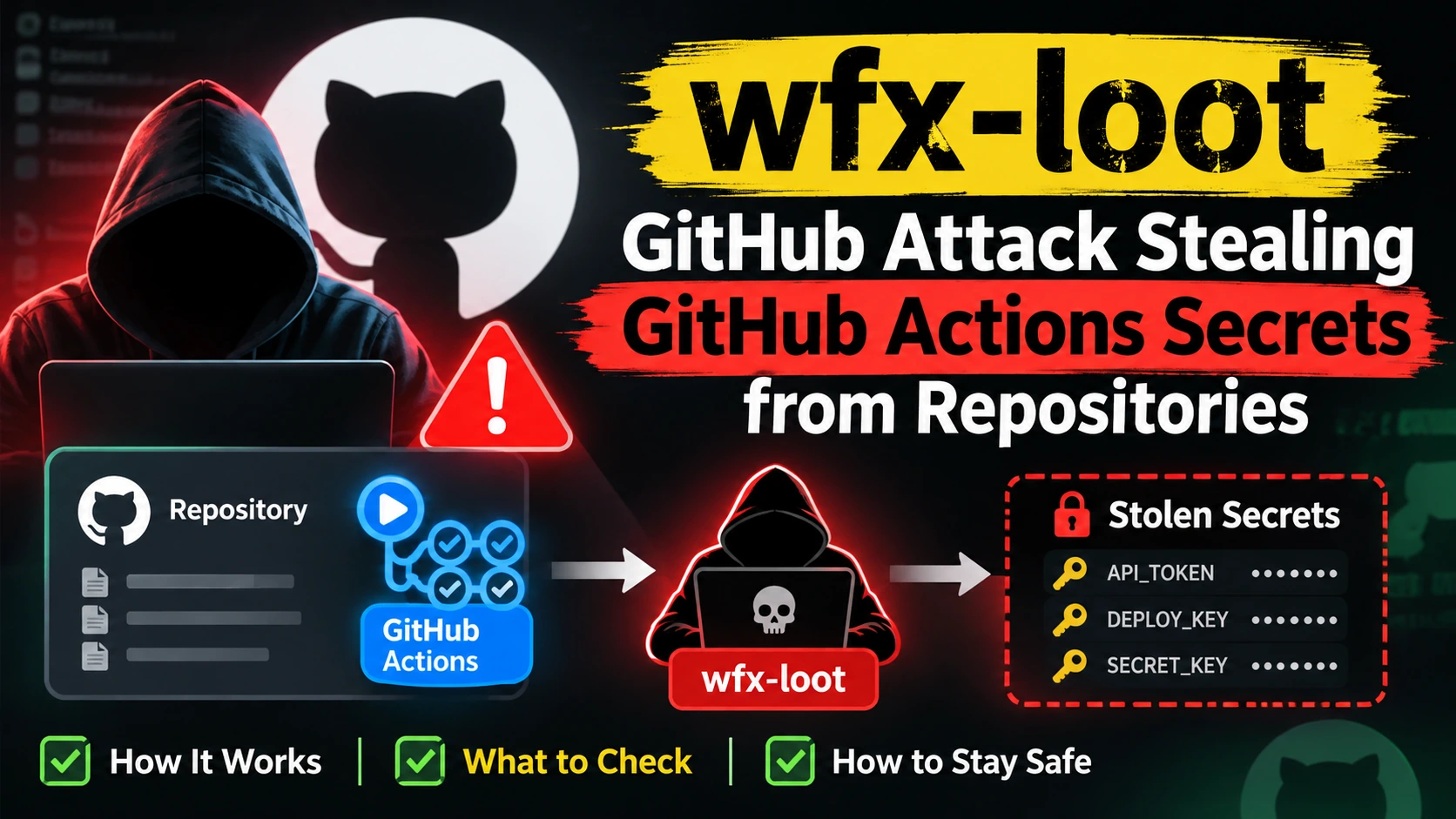
The wfx-loot attack used stolen GitHub credentials to push a secret-stealing payload into GitHub Actions workflows. Researchers say hijacked accounts probed 61,764 repositories, and the stealer ran in at least 1,806 of them. If it ran in your pipeline, every secret and cloud key that workflow could reach is exposed.
This guide shows how to check whether your repositories were hit, how to rotate secrets in the right order and how to harden your pipelines. It also covers what package maintainers should do and where penetration testing fits.
Table of Contents
wfx-loot GitHub Attack: What Happened
Security firm Aikido named the campaign wfx-loot. Its research says it began around 12:45 UTC on 10 November 2026. StepSecurity calls the same activity wfx-phantom, and others call it simply “wfx”.
wfx-loot Timeline
- 10 November, about 12:45 UTC: hijacked accounts begin opening probe pull requests.
- 11 November: Aikido counts 4,837 compromised accounts and 61,764 repositories.
- 12 November, 07:40 UTC: StepSecurity reports GitHub search returning more than 63,000 probe pull requests.
- 12 November: a DEV Community write-up notes new probe pull requests were still appearing after researchers finished counting.
How the wfx-loot Attack Works
Each hijacked account opens a harmless-looking pull request titled “docs: dependency audit notes”. The pull request does nothing by itself. Its job is to confirm the account has write access.
Where it does, the attacker delivers a roughly 1,500-line shell script in one of three ways, according to BleepingComputer: editing an existing workflow, adding a new workflow on a short-lived branch, or planting an npm install hook. The attacker usually reverts the change within minutes and deletes the workflow run and its logs.
Endor Labs adds that the stealer hides its loot inside GitHub first, in the Actions cache, artifacts, step summary and run log, before sending it out.
What the wfx-loot Stealer Takes
The payload goes after:
- GitHub Actions secrets and variables, the workflow GITHUB_TOKEN, and OIDC and runtime tokens
- Cloud credential files, shell histories and the full runtime environment
- Registry credentials for npm, PyPI, Docker, Kubernetes, Vault and Terraform
- AI provider keys such as OpenAI, Anthropic and Hugging Face
- Secrets held in the runner’s process memory
wfx-loot Facts: Confirmed vs Open Questions
Use this table, and expect the numbers to move.
| Claim | Status |
|---|---|
| Stolen credentials from 4,837 accounts were used | Reported by Aikido and repeated by several outlets |
| 61,764 repositories received probe pull requests | Reported by Aikido |
| The stealer ran in at least 1,806 repositories | Aikido’s research figure (another Aikido write-up says 1,835) |
| Malicious commits reached 8,093 repositories | SafeDep’s separate count |
| The attack exploits a flaw in GitHub Actions | No. Researchers say valid stolen tokens were used |
| 10,431 pull requests went into repositories the account did not own | Reported, via collaborator or organisation access |
| Who is behind it | Not disclosed |
| How the accounts were first compromised | Not confirmed. One analysis suggests earlier supply chain attacks |
| The final number of victims | Unknown. The attacker was still active when counts were published |
Why the wfx-loot Numbers Differ
Different teams measure different things. The 61,764 figure counts repositories that received a probe pull request. The 1,806 and 1,835 figures count repositories where the stealer likely ran. SafeDep’s 8,093 counts repositories with malicious commits. Endor Labs cites more than 8,900.
Counts also change over time, because the attacker kept going. When you quote a number, name the source and the date. Treat all of them as lower bounds.
One more figure matters: Help Net Security reports that 92% of the probe pull requests were still open. Close any you find.
Not a GitHub Vulnerability: Stolen Tokens, Not a Platform Bug
StepSecurity is explicit that the attack does not exploit a bug in GitHub Actions. The attacker used valid tokens, including some bot tokens: researchers saw 173 probe pull requests made through the Fly.io GitHub app and found no evidence of a Fly.io breach.
That has two consequences. First, GitHub cannot simply patch this away. Second, your defence is access control: protect accounts, limit what tokens can do and require review before code reaches workflows.
How To Check If Your Repos Were Hit by wfx-loot
Work through this section before you rotate anything, so you know the scope. Preserve evidence first.
Indicators of wfx-loot Activity
| Indicator | What to look for |
|---|---|
| Pull request title | docs: dependency audit notes |
| Branch names | wfx-docs, chore/ followed by 8 characters, ci-check- followed by 4 digits |
| Commit messages | ci: refresh build cache; ci: restore; chore: add ci helper; ci: cleanup; chore: add dependency audit workflow |
| Changed files | Workflow files, CI shell scripts, package.json install hooks |
| Missing evidence | Workflow runs or logs that were deleted |
| Go module | github.com/onuragtas/docker-env v1.0.278 and v1.0.280 (payload in a workflow file only) |
Search Your Pull Requests and Branches
Try GitHub search for your organisation. For example:
org:YOUR-ORG is:pr in:title "dependency audit notes"
Then search for the user accounts in your team with involves:USERNAME. Look closely at pull requests opened or closed within minutes of each other.
Check Workflow and Commit History
In each repository, run:
git log --all --oneline -- .github/workflows
and:
git log --all --grep="ci: refresh build cache"
Review any change to workflow files, shell scripts and the scripts section of package.json. Because the attacker reverts quickly, look at history and not only the current files.
Review the Audit Log
Open the organisation audit log and look for deleted workflow runs, new tokens, new SSH keys, new OAuth app grants and unusual logins around 10 to 12 November. If your plan has no audit log, check each user’s security log.
Check Your Account
Review active sessions, personal access tokens, SSH keys and authorised apps. Remove anything you do not recognise. If a single account in your team was hijacked, the attacker could reach every repository it could write to.
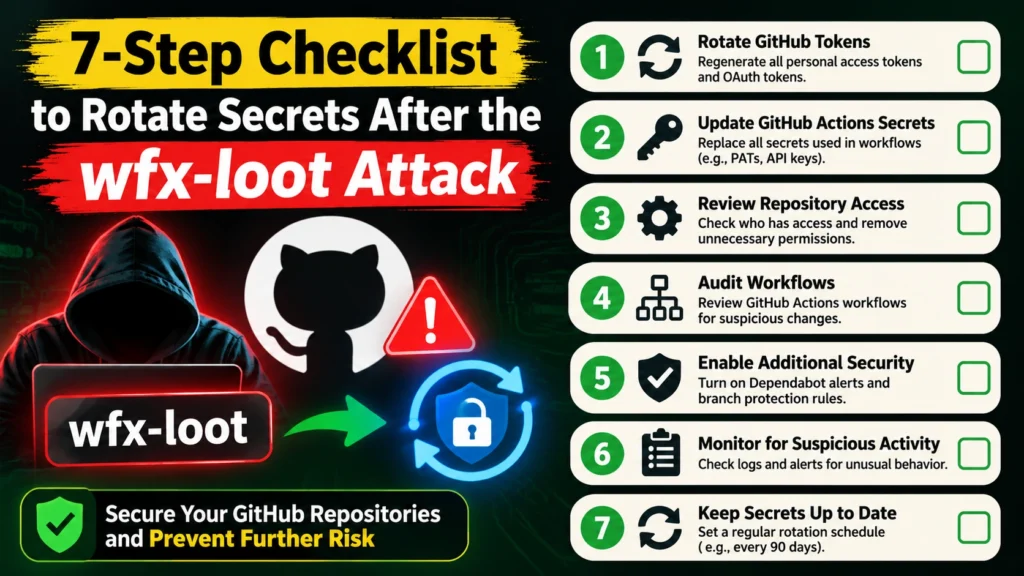
7 Urgent Steps To Rotate Secrets After wfx-loot
If the payload ran, assume every secret and cloud role available to that workflow is exposed and rotate them all. This is the order I would follow.
Step 1: Contain and Preserve Evidence
Disable the affected workflows, close probe pull requests and export logs and audit data before they roll over. Note which repositories and workflow runs are in scope.
Step 2: Lock Down the Account
Change the password, revoke tokens, remove unknown SSH keys and OAuth apps, and sign out other sessions. Turn on a passkey or security key. The CISA guide to multi-factor authentication explains the options.
Step 3: Rotate GitHub Secrets
Replace repository, environment and organisation secrets, variables that held credentials, personal access tokens, deploy keys and GitHub App private keys. Do this after Step 2, or the attacker can read the new values.
Step 4: Rotate Cloud Credentials
Replace AWS, Azure and Google Cloud keys and service accounts the workflow could reach. Tighten OIDC trust policies so only expected repositories and branches can assume roles. Review cloud activity logs for unfamiliar API calls, new users and new keys.
Step 5: Rotate Registry and Package Tokens
Replace npm, PyPI, Docker, Packagist and crates tokens. Check your packages for releases you did not publish.
Step 6: Rotate AI Provider Keys
Replace OpenAI, Anthropic and Hugging Face keys and review each provider’s usage dashboard for requests you did not make.
Step 7: Clean, Rebuild and Verify
Remove malicious workflow files and install hooks, then rebuild from a known-good commit. Re-run your secret scanning, and confirm nothing leaked into logs, caches or artifacts.
GitHub Actions Security Checklist
These controls would have limited the damage. Use them as a baseline, along with GitHub’s security hardening guide for Actions.
- Require pull requests and review for all pushes to default and release branches, not only workflow files.
- Protect more than workflows. Extend CODEOWNERS rules to the scripts and package.json lifecycle hooks that CI runs, as the Cloud Security Alliance advises. See GitHub’s CODEOWNERS guide.
- Use least-privilege tokens. Set GITHUB_TOKEN permissions to read-only by default and grant more per job.
- Prefer short-lived credentials. Use OIDC instead of long-lived cloud keys.
- Protect environment secrets with required reviewers for production.
- Pin third-party actions to full commit hashes.
- Limit outbound network access from runners and monitor for unexpected connections.
- Review the OWASP Top 10 CI/CD Security Risks as a checklist.
If You Publish Packages on npm, PyPI, Go, Packagist or Crates
The initial report says at least 50 hijacked users also publish packages. Maintainers should treat their accounts as high risk.
If you maintain packages: rotate publish tokens, review recent releases for ones you did not make, turn on two-factor authentication and use trusted publishing where your registry supports it. If your npm account is compromised, unpublish or deprecate bad versions and tell users quickly.
If you consume packages: pin versions, review dependency updates before merging and watch advisories for your critical dependencies. Do not assume a popular package is safe because it has not changed.
Developer Account Security After wfx-loot
Many of the hijacked accounts belonged to real developers whose credentials were reportedly exposed in earlier attacks. Cybersecurity News reports that accounts hit in October were about a thousand times more likely than other active accounts to be used in November.
So if your account was hijacked once, assume it may be targeted again. Use a unique password in a password manager, a passkey or hardware key for GitHub, short-lived tokens with minimal scopes and regular token reviews. If you suspect your GitHub token was stolen, revoke it at once and check what it could access.
Cloud, Container and Pipeline Security
The stealer targets cloud keys, so cloud hygiene limits the blast radius.
- Cloud security management: inventory every credential CI can use and remove the ones it does not need.
- Container security best practices: run jobs in isolated, ephemeral runners and keep images minimal.
- Cloud security assessment: after a leak, review roles, trust policies and logs for persistence.
- Managed cloud security services: if you lack in-house capacity, an outside team can monitor keys and activity.
- DAST tools and SAST in DevSecOps: add static and dynamic testing to the pipeline, and keep their credentials as locked down as production.
Penetration Testing for CI/CD and Secrets Exposure
Would a penetration test have stopped wfx-loot? Not on its own, because the attacker used stolen tokens. What testing does well is find the weaknesses around them: over-permissioned tokens, missing branch protection, secrets in logs, exposed internal services and cloud roles that trust too much.
That is why penetration testing is important for any team that ships code. Ethical hacking penetration testing shows how far one stolen credential could go.
DevSecOps Penetration Testing
DevSecOps penetration testing treats your pipeline as an attack surface. A tester checks what a compromised workflow can read, which secrets it holds and which cloud roles it can assume.
External Penetration Testing
External penetration testing attacks your public-facing systems the way an anonymous attacker would. It finds exposed services, weak logins and leaked secrets.
Web Application and Infrastructure Penetration Testing
Web application penetration testing checks login flows and APIs against the OWASP Top 10. Infrastructure penetration testing covers the servers, networks and cloud accounts behind your apps.
Automated vs Manual Penetration Testing
Automated penetration testing is quick and suits regular checks. Manual testing finds weak trust paths and chained issues that scanners miss. Strong programs use both.
Vulnerability Assessment and Penetration Testing
A scan lists known weaknesses. A test tries to exploit them and shows real impact. Our vulnerability assessment and penetration testing engagements combine both and end with a prioritised report.
Third-Party Penetration Test
Customers and insurers increasingly ask for a third-party penetration test. If you maintain software that others depend on, an independent report builds trust.
wfx-loot FAQ
What is wfx-loot?
wfx-loot is Aikido’s name for a campaign that used stolen GitHub credentials to push a secret-stealing payload into GitHub Actions workflows. StepSecurity calls it wfx-phantom.
When did the wfx-loot attack start?
Around 12:45 UTC on 10 November 2026.
How many repositories did wfx-loot affect?
Researchers report 61,764 repositories received probe pull requests, and the stealer ran in at least 1,806. Other counts differ, and the attacker was still active when they were published.
Is wfx-loot a GitHub vulnerability?
No. Researchers say the attacker used valid stolen tokens, not a flaw in GitHub Actions.
How do I know if my repos were hit?
Search for the pull request titled “docs: dependency audit notes”, the wfx-docs branch, the listed commit messages, changed workflows or install hooks and deleted workflow runs.
What should I rotate after wfx-loot?
If the payload ran, rotate every secret and cloud role the workflow could reach: GitHub secrets and tokens, cloud keys, registry tokens and AI provider keys.
What does the wfx-loot stealer take?
Actions secrets, GITHUB_TOKEN, OIDC and runtime tokens, cloud and registry credentials, AI provider keys and secrets in runner memory.
Can penetration testing help?
It can find over-permissioned tokens, missing branch protection and leaked secrets before attackers do, and it can confirm your fixes work.
Should I close the probe pull requests?
Yes, after you have collected evidence. Check the files they touched first.
Final Thoughts and Next Step
The wfx-loot attack shows how one stolen token can reach every repository an account can write to. Check your repos, rotate secrets in order, lock down tokens and require review on every branch that matters.
Not sure how far a stolen token could reach in your pipeline? The Nexus Web Security team can test it for you. Request a VAPT assessment today and find out what an attacker would find first.