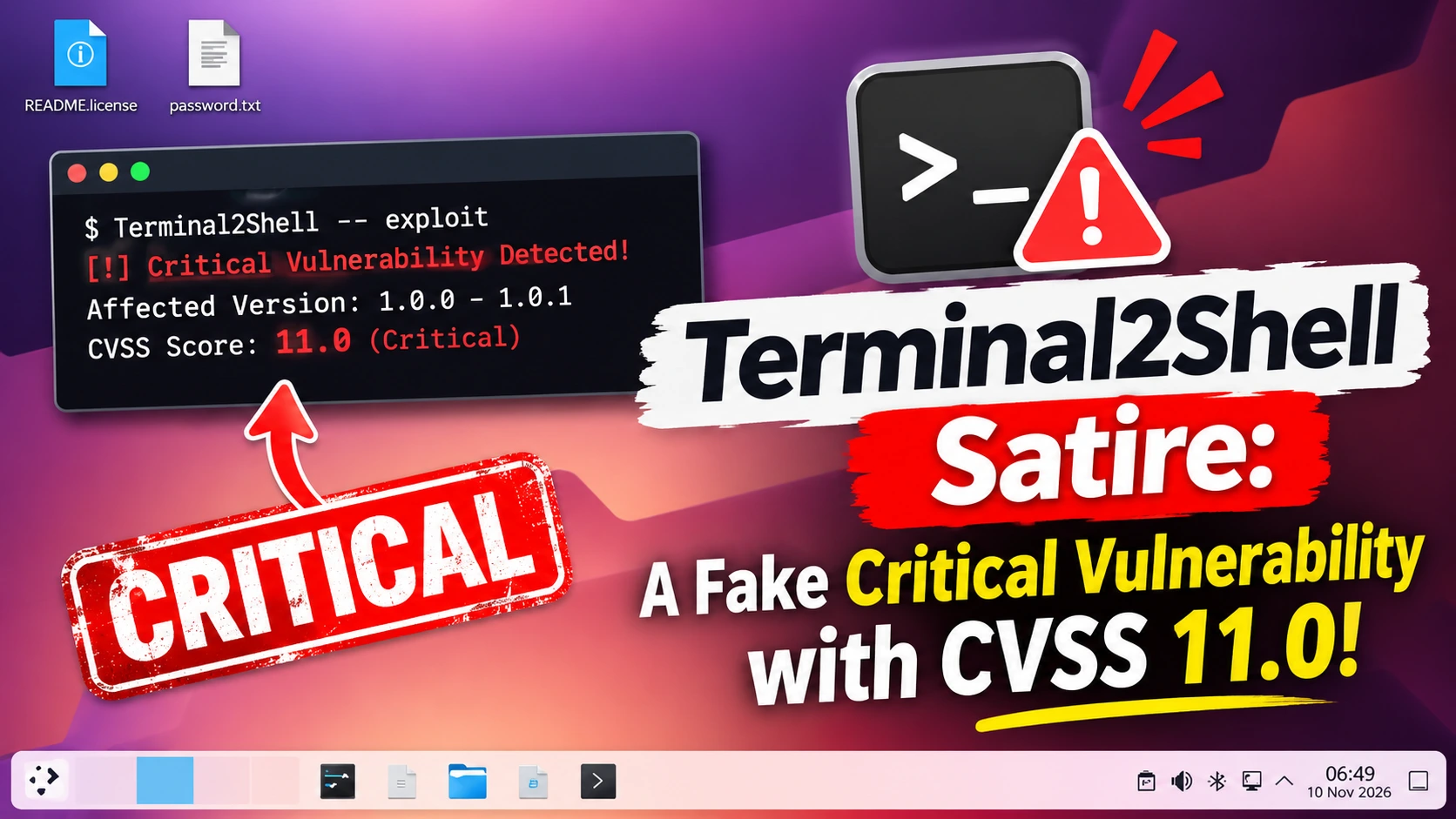
Terminal2Shell looks like the scariest vulnerability ever. It claims to affect more than two billion devices, carries a CVSS score of 11.0 and says there is no patch. It is also satire. Opening a terminal gives you a shell because that is what a terminal is for.
This guide explains what Terminal2Shell is, why it is not real, what the joke gets right and the seven checks you can use to spot a fake vulnerability. It also covers real terminal risks and where penetration testing fits.
Table of Contents
What Is Terminal2Shell?
Terminal2Shell is a parody website that presents a “critical flaw” in every operating system since 1971. The page says that when a terminal launches, it starts a shell and connects it to your keyboard. From there, it says, an attacker can run commands with your own privileges.
That is a description of how a terminal works. The page dresses it up with the usual signs of a major disclosure: a logo, a domain, a nickname (TermGeddon), a pending CVE and a banner about active exploitation.
The Claims on the Terminal2Shell Page
The page makes these claims:
- More than two billion affected devices
- A CVSS score of 11.0 out of 10
- Active exploitation in the wild and no patch
- A “fully weaponized” proof of concept
- A 55-year window of exposure
- Mitigations such as “type slower” and “remove the keyboard”
How Terminal2Shell Went Viral
Terminal2Shell spread on 9 November 2026. Some accounts shared it with alarm, and one popular post said “we’re cooked”. A cybersecurity news account first posted it as real, then added that it is obviously satire. A Lobsters threadtagged it as satire.
Cybersecurity News said the site is satire, not a confirmed disclosure, and that its “exploit” describes normal terminal use. A CEOs3c guide describes it as a parody advisory registered in October.
Is Terminal2Shell Real? The Short Answer
No. Terminal2Shell is not a real vulnerability. There is nothing to patch, because the behaviour is the design. A shell that runs the commands you type is the whole point of a terminal.
A real vulnerability lets someone do something they are not allowed to do. Terminal2Shell only lets you do what you can already do, using access you already have. That is the key to checking any claim like it.
Terminal2Shell Claims vs Reality
Use this table to see how each claim falls apart.
| Terminal2Shell claim | Reality |
|---|---|
| Affects 2+ billion devices | Any device with a terminal “has” it, because it is how terminals work |
| CVSS 11.0 out of 10 | The CVSS scale ends at 10.0, so 11.0 is impossible |
| CVE ID pending | No CVE exists, so no vendor or database confirms it |
| Active exploitation in the wild | No attacker is involved; a user types in their own terminal |
| No patch available | There is nothing to patch; the behaviour is intended |
| Fully weaponized proof of concept | A fake terminal on a web page |
| 55-year window of exposure | Shells have existed since the Thompson shell in 1971, which is the joke |
| Microsoft Paint not affected | A gag: Paint has no shell |
| Mitigations: type slower, remove the keyboard | Obvious jokes |
What the Terminal2Shell Joke Gets Right
Behind the humour is a fair point about security marketing. Today a vulnerability seems to need a logo, a domain and a name that ends in a number and a noun. The names often get more attention than the advisories.
The “2Shell” naming trend is real. CEOs3c reports that someone built a tracker of every shell-named bug since Shellshock, and that mocking the names does not make the real bugs less serious. Real shell-named vulnerabilities exist, so the lesson is not “ignore names”. It is “read the advisory, not the logo”.
CVSS Explained: Why 11.0 Out of 10 Is Impossible
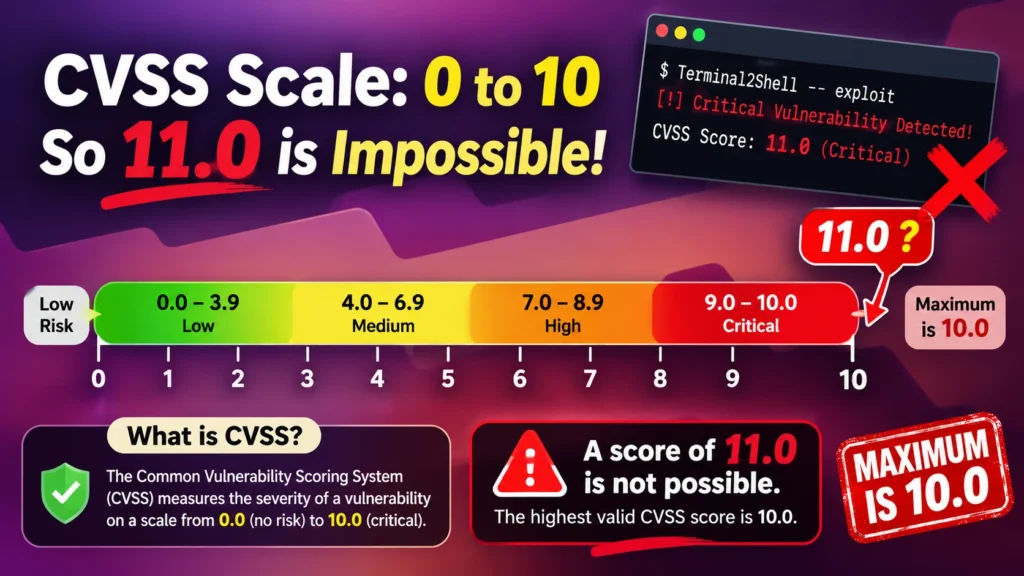
CVSS, the Common Vulnerability Scoring System, rates severity from 0.0 to 10.0. The FIRST CVSS specification defines the scale and the bands:
- 0.0: none
- 0.1 to 3.9: low
- 4.0 to 6.9: medium
- 7.0 to 8.9: high
- 9.0 to 10.0: critical
A score of 11.0 cannot exist. That is the fastest tell in the whole page.
Why “Needs Local Access” Changes the Score
CVSS scores include the attack vector: network, adjacent, local or physical. A local flaw needs access to the machine first. CVSS also looks at privileges required and user interaction. Terminal2Shell needs a logged-in user who opens a terminal and types. It gives no new privileges, so it would score as no vulnerability at all.
How To Read a CVE Advisory in 5 Minutes
A real advisory follows a pattern. Here is how to read one fast:
- Find the CVE ID. Search it in the National Vulnerability Database.
- Read the description. What does the flaw let an attacker do that they could not do before?
- Check affected and fixed versions. Real advisories name specific products and versions.
- Read the CVSS vector. It shows the attack vector, complexity and privileges required.
- Check exploitation status. The CISA Known Exploited Vulnerabilities catalog lists flaws confirmed as exploited.
- Look for a vendor advisory. Vendors publish patches and workarounds.
- Check the references. Independent researchers and trusted outlets should corroborate.
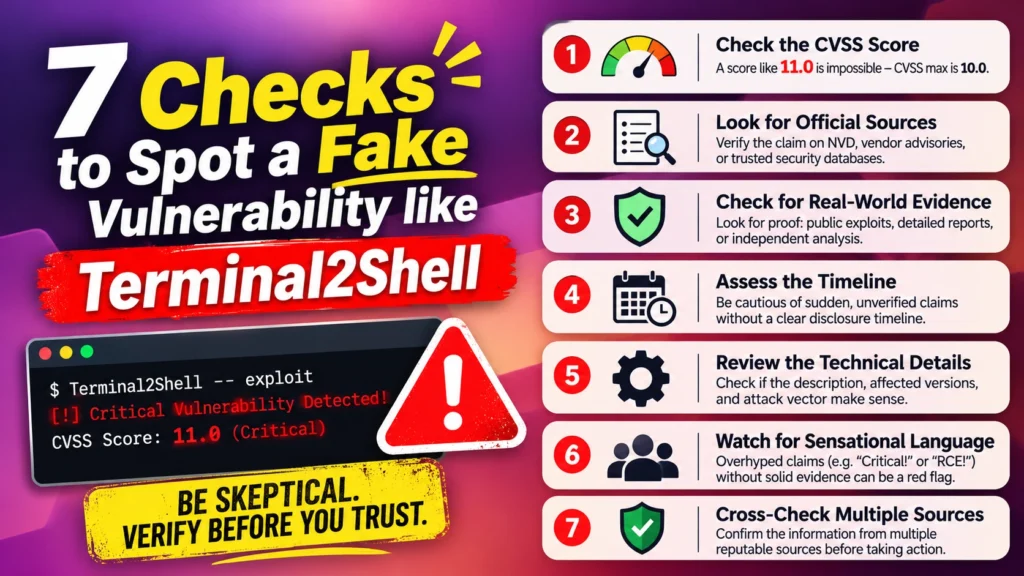
7 Proven Checks To Spot a Fake Vulnerability
Use these checks whenever a scary new bug is trending.
Check 1: Look for a CVE ID
Search the NVD. A “CVE pending” badge is not proof of fakery, since real disclosures can take days to appear. But a claim with no CVE and no vendor statement needs more evidence.
Check 2: Check the Score Is Valid
Scores must fall between 0.0 and 10.0. A score outside the range means a joke or an error.
Check 3: Find the Vendor Advisory
A real flaw in a real product has a vendor advisory with affected versions and fixes. If every vendor is “vulnerable” and none has an advisory, be sceptical.
Check 4: Check the Exploitation Claim
“Active exploitation” is a serious claim. Look for the CISA KEV catalog, vendor statements or reports from trusted incident response teams.
Check 5: Ask What the Attacker Gains
Does the attacker get access they did not already have? Terminal2Shell needs a user who is already logged in and already at a terminal. No privilege boundary is crossed, so no vulnerability exists.
Check 6: Check the Source
Look at who published it, when the domain was registered and whether the author has a track record. A brand-new domain with a mascot is a warning sign.
Check 7: Look for Independent Confirmation
Real flaws get confirmation from several independent researchers, vendors and outlets. If the only source is the page itself, wait.
Fake Zero-Day Claims: Red Flags and How They Spread
Fake zero-day claims spread because they are easy to believe and easy to share. Common red flags include:
- Impossible numbers, such as a CVSS score above 10 or “billions” of affected devices
- No CVE, no vendor advisory and no technical detail
- Dramatic banners and countdown language
- A new domain with a logo and no history
- A “proof of concept” that only runs inside the page
Even experienced people share things before they check. If you share a story and then learn it is satire, say so plainly and move on.
Why Security Hype Hurts
Satire is harmless when everyone is in on it. Real hype is not. Constant alarms cause alert fatigue, so teams start ignoring warnings. They also push security staff to chase headlines when a boring, unpatched, internet-facing system is the bigger risk.
Good security teams treat every claim the same way: verify, assess impact, then act.
Real Terminal and Shell Risks
A terminal is not a vulnerability, but shells are involved in many real attacks. The risks worth your time include:
- Copy-pasting commands from websites. Malicious pages can hide extra commands inside a copied snippet.
- Running scripts you have not read. Piping a web download straight into a shell is risky.
- Weak remote access. Exposed SSH, default passwords and unprotected management consoles let attackers get a shell remotely.
- Excess privileges. Running everything as an administrator gives attackers more power if they get in.
- Web shells. Attackers plant small scripts on vulnerable websites to run commands on the server.
The fixes are practical: use SSH keys and MFA, limit sudo rights, review scripts before you run them and keep management interfaces off the public internet. A CMS vulnerability scanner can help you spot weak points on WordPress sites before attackers do.
Vulnerability Management: Prioritise Real Risk, Not Hype
Vulnerability management is the steady, unglamorous work that protects you. It means finding assets, scanning, scoring, prioritising and fixing.
Prioritise using real signals: Is the flaw exploited? Is the system exposed to the internet? Does it hold sensitive data? Is a fix available? Risk-based vulnerability management beats chasing whichever bug has the best logo.
- Automate the routine. Automate vulnerability management for scanning and ticketing, but keep a human in the loop for decisions. Alert fatigue is one of the main vulnerability management challenges.
- Use trusted sources. Threat intelligence feeds and threat intelligence tools help you separate real exploitation from rumour. Check the source before you act.
- Meet your standards. ISO 27001 vulnerability management expects documented processes, regular scans and evidence of remediation.
- Assess risk. A security risk assessment ranks what matters most to your business, not what is trending.
Responsible Disclosure: What the Real Process Looks Like
The Terminal2Shell disclosure timeline is a joke, but real disclosure has a clear shape. The CERT Guide to Coordinated Vulnerability Disclosure describes it. In outline:
- A researcher finds a flaw and reports it privately to the vendor.
- The vendor confirms it and works on a fix.
- Both agree a timeline, often with a deadline.
- The vendor releases a patch and an advisory.
- A CVE ID is published and details follow.
The contrast is striking. Real disclosure happens in private first and aims to protect users. The satire flips every step.
Penetration Testing: Finding Real Risk
Would a penetration test find real risk? Yes, and it is the opposite of hype. A tester shows what an attacker can actually do against your systems, ranks the findings by impact and gives you a short list to fix.
That is why penetration testing is important for any organisation. Ethical hacking penetration testing separates signal from noise.
External Penetration Testing
External penetration testing attacks your public-facing systems the way an anonymous attacker would. It finds exposed services, weak logins and unpatched software.
Web Application and Infrastructure Penetration Testing
Web application penetration testing checks login flows, forms and APIs against the OWASP Top 10. Infrastructure penetration testing examines the servers and networks behind them.
Automated vs Manual Penetration Testing
Automated penetration testing is quick and affordable, so it suits regular checks. Manual testing finds logic flaws and chained weaknesses that scanners miss. Strong programs use both.
Vulnerability Assessment and Penetration Testing
A scan lists known weaknesses. A test tries to exploit them and shows real impact. Our vulnerability assessment and penetration testing engagements combine both and end with a prioritised report.
Third-Party Penetration Test
Customers, regulators and insurers often ask for a third-party penetration test. When you read the report, check that it lists scope, method, evidence and a clear risk rating for each finding.
Terminal2Shell FAQ
Is Terminal2Shell real?
No. Terminal2Shell is satire. It describes normal terminal behaviour as a critical flaw.
Am I affected by Terminal2Shell?
Only in the sense that you can open a terminal and type commands. That is not a vulnerability.
Is Terminal2Shell being exploited in the wild?
No. No attacker is involved. A user types in their own terminal.
Can the attacker escalate to root?
Only if the user is already root or has permission to become root. No privilege boundary is crossed.
Why does Terminal2Shell have a logo?
Because the page mocks how vulnerabilities are marketed, with logos, domains and nicknames.
Is Terminal2Shell related to the other 2Shell vulnerabilities?
It parodies them. Real shell-named vulnerabilities exist, so check each one on its own evidence.
What does a CVSS score of 11.0 mean?
Nothing. CVSS scores run from 0.0 to 10.0, so 11.0 is not a valid score.
Should I panic about Terminal2Shell?
No. Close the joke, keep your systems patched and verify the next scary headline.
How do I check whether a vulnerability is real?
Check for a CVE ID, a valid score, a vendor advisory, an exploitation record and independent confirmation.
Final Thoughts and Next Step
Terminal2Shell is a joke with a serious point. Read the advisory, not the logo. Check the CVE, the score, the vendor and the evidence before you panic or share.
Want to know what real risk looks like in your own systems? The Nexus Web Security team can test them for you. Request a VAPT assessment today and find out what an attacker would find first.