The TUM data breach exposed the password of everyone registered on a Technical University of Munich portal, plus names, home addresses and dates of birth. One stolen login belonged to a TUMonline administrator, and the attackers used it against the campus system that runs student records.
This guide explains what happened in the TUM data breach, what is confirmed and what is not, and the seven steps to take now. It also covers lessons for any school or business, and where penetration testing fits.
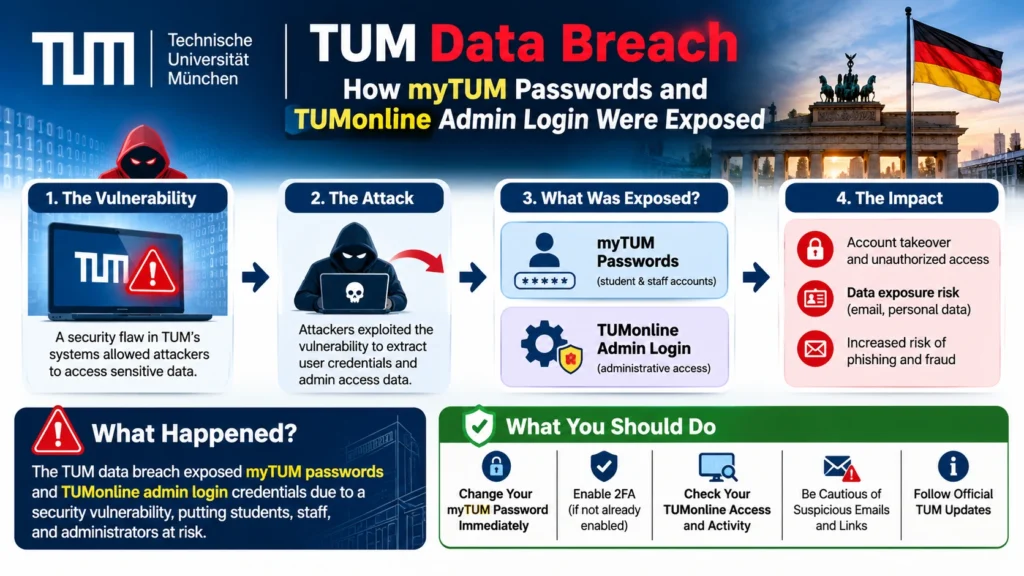
Table of Contents
TUM Data Breach: What Happened
On 6 November 2026, TUM published an IT security incident notice. Unknown attackers hit the myTUM portal and stole the passwords for TUM’s central login from everyone registered there.
Among them was the login of a TUMonline system administrator. The attackers used it to attack TUMonline, the central campus management system. TUM then took TUMonline offline. Heise reports that the attackers got in through a legacy myTUM system.
What Data Was Exposed in the TUM Data Breach
TUM says the attackers may have gained access to:
- Everyone affected: account password, name, home address and date of birth
- Employees, in addition: work address and work phone number
- Students, in addition: student ID number, degree programme and number of semesters completed
TUM adds that the attackers’ access inside TUMonline was largely logged. From those logs it currently assumes no other TUMonline data, such as grades or applications, was taken. It is still investigating.
What TUM Did After the Breach
TUM suspended the affected accounts, switched off TUMonline, reported the incident to the Bavarian State Commissioner for Data Protection and filed a criminal complaint. It says it believes it stopped the attack from spreading further.
TUM Data Breach Facts: Confirmed vs Unconfirmed
Many pages blur the line between what is known and what is guessed. Use this table, and expect it to change.
| Claim | Status |
|---|---|
| Passwords were stolen for everyone registered on myTUM | Confirmed by TUM |
| An administrator login for TUMonline was among them and was used against TUMonline | Confirmed by TUM |
| Names, home addresses and dates of birth may be exposed | Confirmed by TUM as “may have gained access” |
| Student ID, degree programme and semester count may be exposed for students | Confirmed by TUM |
| Grades and applications were not taken | TUM’s current assumption, still under investigation |
| Accounts using multi-factor authentication were protected | Confirmed by TUM |
| How many people are affected | Not disclosed |
| How the passwords were stored (plain text or hashed) | Not disclosed |
| Whether the stolen data left TUM’s systems | Not confirmed |
| Who the attackers are | Unknown |
Local media link the incident to an earlier data leak at LMU Munich, but that is a separate case and the details differ.
Why One Old Portal Exposed So Much
Here is the part of the TUM data breach that matters most. TUM’s own IT pages explain that TUMonline, Moodle, the eduroam Wi-Fi and the TUM email account all use the same password. That is single sign-on, also called a single login.
A single login is convenient. One password opens everything. But it also means one stolen credential has a huge blast radius. In the TUM data breach, an old portal kept those credentials reachable, and attackers got the keys to the whole house.
Legacy Portal Security Risks
Old systems tend to stay online long after teams stop watching them. They run outdated software, miss security reviews and are forgotten in asset lists. That makes legacy portal security risk one of the most common ways in.
The fix is not glamorous: keep an inventory, retire what you do not need, and monitor what you keep.
The Admin Account Problem
An administrator login is worth far more than a student login. Whoever holds it can see and change records for thousands of people. That is why privileged access management matters even for small teams: separate admin accounts, MFA on every one, and alerts when they sign in from somewhere new.
Why MFA Protected Some Accounts (and Where It Falls Short)
In the TUM data breach, accounts with multi-factor authentication were protected, according to TUM. The reason is simple. A stolen password alone is not enough when a second factor, such as an app code, a passkey or a security key, is also required.
That is how multi-factor authentication protects accounts. It turns a password leak from a break-in into a nuisance. The CISA guide to multi-factor authentication and the NIST digital identity guidelines explain the options.
Does MFA Prevent a Data Breach?
Not by itself. MFA protects the login. It does not stop attackers stealing data stored elsewhere, and it can be weakened by:
- Phishing pages that steal one-time codes
- Reused passwords that unlock other accounts without MFA
- Stolen session tokens
- Fatigue attacks that spam approval prompts
Phishing-resistant methods such as passkeys and hardware keys are stronger than text-message codes.
At the time I checked, TUM’s MFA page carried a notice that MFA for the TUM login could not be set up yet. Check it for the current status before you try.
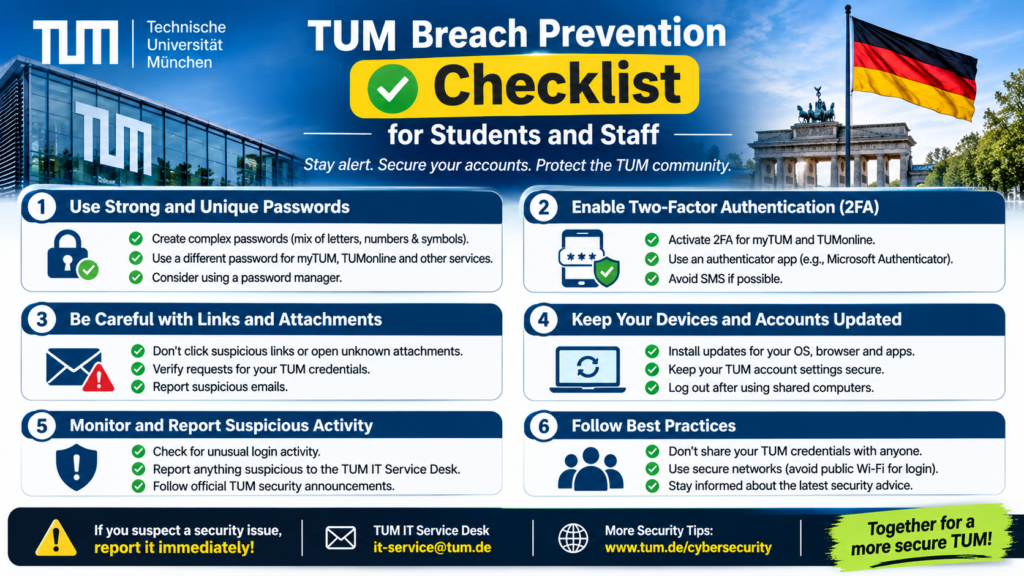
7 Urgent Steps After the TUM Data Breach
Follow these in order. If you are not a TUM user, the same steps apply after any password breach.
Step 1: Change Your TUM Password When TUM Allows It
TUM said it would publish password-change options and instructions on its IT news page. Heise reported that changes become possible from Monday 9 November. Because one password opens several services, one change covers them all.
Step 2: Change Reused Passwords Elsewhere
If you used your TUM password anywhere else, change it there first. Use this order:
- Your personal email account, because it can reset everything else
- Banking and payment accounts
- Cloud storage and work accounts
- Online shops with saved cards
- Social media
- Streaming and everything else
Every account needs its own password. Password reuse after a data breach is how one leak becomes ten.
Step 3: Turn On MFA
Enable multi-factor authentication on your TUM account when TUM opens setup, and on your email, banking and cloud accounts today. Prefer a passkey or security key. An authenticator app is the next best choice.
Step 4: Check If Your Password Was Leaked
Use Have I Been Pwned to see whether your email address appears in known breaches. If it does, change that password and any copy of it. A hit means that password is no longer safe.
Step 5: Use a Password Manager
A password manager creates and stores a different strong password for every account. When you compare Bitwarden vs 1Password, look for a free or low-cost plan, strong encryption, breach alerts, passkey support and an export option. Either beats reused passwords.
Step 6: Watch for Scams
After the TUM data breach, stolen names, addresses and degree details make fake messages look real. TUM warns that fraudsters can use them to build credible emails, letters and calls, and says TUM will never ask for your password. The next section shows what to look for.
Step 7: Report and Keep Records
Forward suspicious messages to TUM’s security contact, or to your own organisation’s. Keep screenshots and dates. If you notice fraud on a financial account, tell your bank at once.
Phishing After the TUM Data Breach: What Scams Will Look Like
Generic phishing email examples often look sloppy. Messages built from TUM data breach details do not. Expect a sample phishing email like these:
- A fake “account security” email that names your degree programme and says your TUM login will be locked unless you confirm your password
- A fake fee or enrolment notice that quotes your student ID and asks for a payment
- A letter or text that uses your home address and date of birth to sound official
- A phone call from “IT support” who already knows your name and programme
Red flags are urgency, a link that does not match the real domain, a request for a password or a code, and a sender you cannot verify. Never enter credentials from a link. Open the official site yourself.
Anti-phishing software can help organisations by scanning links and attachments and flagging look-alike domains. It is a safety net, not a substitute for training.
What To Do After a Data Breach: A General Checklist
If you are reading this because the TUM data breach or another incident exposed your data, use this short list:
- Read the official notice and note which data was exposed.
- Change the password and any reused copies.
- Turn on MFA everywhere it is offered.
- Check whether your email appears in known breaches.
- Watch bank and card statements.
- Treat unexpected messages with suspicion.
- Consider a credit freeze or fraud alert if financial data was involved.
- Keep records.
- Ask the organisation what data it holds and what it is doing.
- Follow updates, because early facts often change.
Lessons for Universities, Schools and Businesses
The TUM data breach is a case study in how a small gap becomes a big incident. Use this university cybersecurity checklist:
- Inventory every login portal, including old ones, and retire any you no longer need.
- Harden each authentication portal: lock out repeated failures, require MFA, hide version details and review it regularly.
- Protect admin accounts: separate them from daily accounts, enforce MFA and alert on unusual use.
- Log everything that matters. TUM says detailed logs of the attackers’ access helped it judge what was taken. Security logging best practices include central storage, retention and alerts.
- Limit what a single login can reach. Segment systems so one credential cannot open everything.
- Review identity and access management at least twice a year. Remove accounts that should not exist.
- Run a security risk assessment to find where your most sensitive data sits.
- Choose data privacy solutions that minimise what you store in the first place.
GDPR Breach Notification: What Organisations Must Do
Under the GDPR, an organisation must normally tell its supervisory authority about a personal data breach within 72 hours of becoming aware of it, unless the breach is unlikely to risk people’s rights. Article 33 of the GDPR sets this out. If the risk to people is high, individuals must be told as well.
TUM reported the incident to the Bavarian State Commissioner for Data Protection. Smaller organisations should prepare in advance: know who decides, who contacts the authority and where evidence is kept. This is general information, not legal advice.
Penetration Testing for Login Portals and Admin Paths
Would a penetration test have prevented the TUM data breach? Nobody outside TUM can say, and no test can promise to stop every attack. What testing does well is find the kind of weakness that matters here: forgotten portals, weak admin paths, reused credentials and gaps in MFA coverage.
That is why penetration testing is important for any organisation with student, customer or staff data. Ethical hacking penetration testing shows how an attacker would move from one stolen login to the systems behind it.
External Penetration Testing
External penetration testing attacks your public-facing systems the way an anonymous attacker would. It finds exposed portals, old login pages and weak sign-in controls.
Web Application and Infrastructure Penetration Testing
Web application penetration testing checks login flows, password resets, session handling and access control against the OWASP Top 10. Infrastructure penetration testing looks at the servers and networks behind them.
Automated vs Manual Penetration Testing
Automated penetration testing is quick and affordable, so it suits regular checks. Manual testing finds logic flaws and chained weaknesses that scanners miss. Strong programs use both.
Vulnerability Assessment and Penetration Testing
A scan lists known weaknesses. A test tries to exploit them and shows real impact. Our vulnerability assessment and penetration testing engagements combine both and end with a prioritised report.
Third-Party Penetration Test
Regulators, partners and insurers often ask for a third-party penetration test. An independent report proves your controls work and speeds up security questionnaires.
TUM Data Breach FAQ
What was stolen in the TUM data breach?
Passwords for the central TUM login for everyone registered on myTUM, plus names, home addresses and dates of birth. Employees’ work addresses and phone numbers and students’ ID numbers, degree programmes and semester counts may also be exposed.
Were grades exposed in the TUM data breach?
TUM currently assumes grades and applications were not taken, based on its logs. It is still investigating.
How many people are affected by the TUM data breach?
TUM has not said.
Were MFA accounts protected in the TUM data breach?
Yes. TUM says accounts with multi-factor authentication were protected from this attack.
What should I do after the TUM data breach if I have a TUM account?
Change your password when TUM allows it, change any reused passwords, turn on MFA, and watch for phishing that uses your name, address or degree. Follow TUM’s IT news page for updates.
Is TUMonline back online?
TUM said it would bring TUMonline back gradually over several days. Check TUM’s official pages for the current status.
Who is behind the TUM data breach?
Unknown. TUM has filed a criminal complaint, and no group has been publicly named.
How do I check if my password was leaked?
Search your email address on Have I Been Pwned, then change any password that appears and any copy of it.
Does MFA prevent a data breach?
Not by itself. It protects the login, but phishing, reused passwords and stolen sessions can still cause harm.
Can penetration testing help prevent a breach like this?
It can find forgotten portals, weak admin paths and gaps in MFA before attackers do. It works best alongside patching, monitoring and good account hygiene.
Final Thoughts and Next Step
The TUM data breach shows how one old portal and one admin login can put thousands of people at risk. MFA protected some accounts, which is the clearest lesson. Turn it on, never reuse passwords and treat every unexpected message with caution.
Want to know if your login portals and admin paths would hold up? The Nexus Web Security team can test them for you. Request a VAPT assessment today and find out what an attacker would find first.