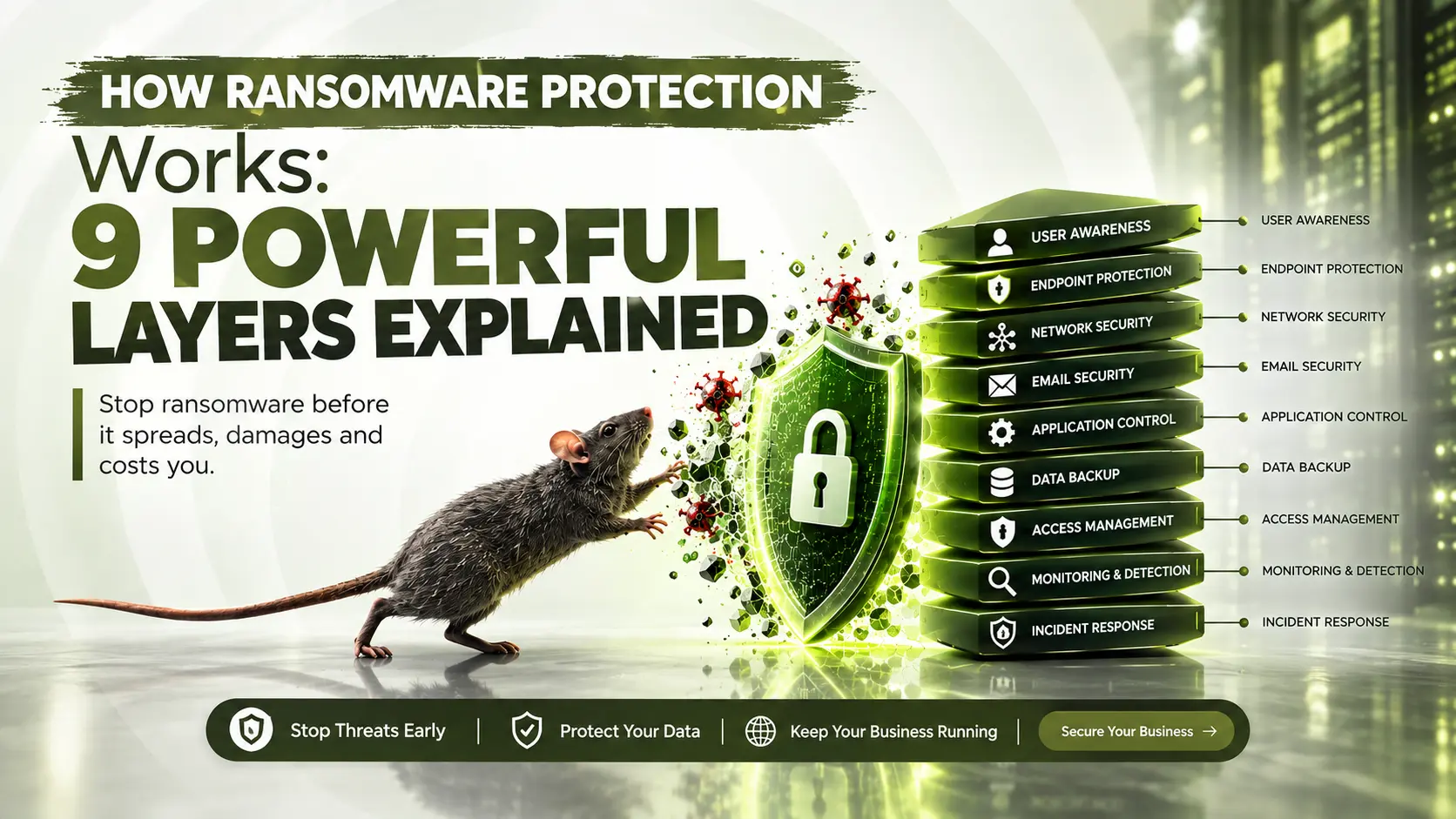
Ransomware protection isn’t one single tool. It’s a layered system of defenses that work together to stop an attack, contain its spread, and get your data back without paying a criminal. If you’ve ever wondered how organizations actually defend themselves against ransomware, or how they recover when defenses fail, this guide breaks it down in plain language, using real incidents to show why each layer matters.
Table of Contents
- What Ransomware Actually Is
- How Ransomware Gets In
- Layer 1: Email Security and Anti Phishing Software
- Layer 2: Endpoint Security and Antimalware
- Layer 3: Unified Endpoint Management
- Layer 4: Vulnerability Management
- Layer 5: Network Segmentation and Zero Trust
- Layer 6: SOC Monitoring and AI Threat Detection
- Layer 7: Backups That Actually Survive an Attack
- Layer 8: Password Managers and Multi Factor Authentication
- Layer 9: Incident Response Planning
- A Real World Example: The Kettering Health Attack
- Should You Ever Pay a Ransom?
- Ransomware Protection for Small Businesses
- Frequently Asked Questions
- Get Your Ransomware Readiness Assessed
What Ransomware Actually Is
Ransomware is a type of malware that encrypts a victim’s files, making them completely inaccessible, and then demands payment in exchange for the decryption key. Many modern ransomware groups add a second layer of pressure by also stealing the data before encrypting it, threatening to publish it publicly if the ransom isn’t paid. This “double extortion” model is now standard among ransomware gangs, which is exactly why effective ransomware protection has to address both encryption and data theft, not just one or the other.
How Ransomware Gets In
Before ransomware can encrypt anything, it needs a way onto the network. The most common entry points are:
- Phishing emails containing malicious attachments or links, often using a sample phishing email template attackers reuse across campaigns
- Compromised remote access tools, like exposed RDP connections
- Unpatched software vulnerabilities that attackers exploit directly
- Stolen or weak credentials used to log in as a legitimate user
- Third party vendors or contractors with excessive network access
Understanding these entry points matters because ransomware protection is built around blocking each one specifically, rather than relying on a single catch all tool.
Layer 1: Email Security and Anti Phishing Software
Email remains the single most common delivery method for ransomware, which is why strong email security sits at the very front of any protection strategy. Modern email security services and anti phishing software scan incoming messages for malicious attachments, suspicious links, and spoofed sender addresses before they ever reach an employee’s inbox. Reviewing real phishing email examples during training helps employees recognize what a live attack actually looks like, since attackers constantly refine their messaging to appear legitimate.
Layer 2: Endpoint Security and Antimalware
Once a message or file makes it past email security, endpoint security is the next checkpoint. Modern antimalware tools go beyond traditional signature based detection, using behavioral analysis to spot ransomware’s actual actions, like the rapid encryption of large numbers of files, even if the specific malware variant has never been seen before. It’s worth noting that most malware protection strategies are not 100 percent effective on their own, which is exactly why layered protection matters instead of relying on any single tool. This applies to Macs too; the idea that Mac and ransomware don’t mix is itself an outdated myth, since Mac specific ransomware families have been documented for years.
Layer 3: Unified Endpoint Management
Organizations running dozens or hundreds of devices, laptops, phones, and remote workstations alike, need visibility across all of them at once. Unified endpoint management platforms centralize patching, configuration, and security policy enforcement across an entire device fleet, closing the gaps that individual, unmanaged devices tend to create. Without this layer, a single outdated laptop can become the entry point that undermines every other defense in place.
Layer 4: Vulnerability Management
Ransomware groups frequently exploit known, unpatched vulnerabilities rather than inventing new attack methods. A structured vulnerability management program, ideally tracked through a vulnerability management dashboard that shows exposure across your entire environment in real time, closes this gap before attackers find it. Organizations working toward ISO 27001 vulnerability management requirements in particular need this kind of ongoing, documented process rather than a one time scan.
Layer 5: Network Segmentation and Zero Trust
If ransomware does get past the first layers, containment becomes the priority. Zero trust security operates on the principle that no device or user is automatically trusted, even inside the network, requiring continuous verification before granting access to systems or data. Combined with network segmentation, this approach prevents ransomware from spreading freely from one infected device to the rest of the organization, dramatically limiting the blast radius of an attack.
Layer 6: SOC Monitoring and AI Threat Detection
A security operations center, or SOC, provides continuous, human led monitoring of an organization’s systems, watching for the subtle warning signs that precede a full ransomware deployment. Many organizations now rely on SOC as a service to get this capability without building an internal team from scratch, paired with AI threat detection tools that flag unusual behavior, like a sudden spike in file modification activity, faster than manual review ever could. A managed SIEM platform ties these signals together, correlating data from across the network to catch an attack in its early stages rather than after files are already encrypted.
Layer 7: Backups That Actually Survive an Attack
Backups are the most talked about ransomware protection, and also the most misunderstood. A backup connected to the same network as everything else can be encrypted right along with your production data, making it useless when you need it most. Experts recommend the 3-2-1 backup rule: three copies of your data, on two different types of media, with one copy stored offline or immutable, meaning it cannot be altered or deleted even by an attacker with administrator level access. Regular backup testing matters just as much as having backups in the first place, since an untested backup is a backup you can’t actually rely on during a real crisis.
Layer 8: Password Managers and Multi Factor Authentication
Weak or reused credentials remain one of the most common ways attackers gain initial access. A password manager removes the excuse of reusing passwords across accounts by generating and storing a unique, strong credential for every login. Layering multi factor authentication on top adds a second barrier that stops most automated, credential based attacks even if a password is eventually exposed elsewhere, making it one of the least expensive, highest impact defenses available.
Layer 9: Incident Response Planning
Even organizations with strong defenses can still be hit, which is why an incident response plan written specifically for ransomware is essential. A strong plan defines exactly who makes decisions, how systems get isolated the moment an infection is detected, how backups get restored, and how communication with employees, customers, and possibly regulators is handled. Organizations that build and rehearse this plan in advance consistently recover faster than those improvising during an actual crisis, and it’s exactly the kind of gap a professional vulnerability assessment and penetration test is designed to uncover before an attacker does.
A Real World Example: The Kettering Health Attack
In May 2025, Kettering Health, a network of 14 medical centers in Ohio, experienced a cyber attack that its senior vice president for incident command later confirmed involved ransomware, though the organization stated it did not pay a ransom. The kettering health ransomware attack forced the health system into downtime procedures, cancelling elective inpatient and outpatient procedures and taking its call center offline. The Interlock ransomware group later claimed responsibility, stating it had stolen more than 940 gigabytes of data from the organization.
This incident illustrates exactly why layered ransomware protection matters. A healthcare network with sophisticated IT infrastructure still experienced a system wide outage that disrupted patient care for weeks, showing that even well resourced organizations remain vulnerable without the right combination of prevention, containment, and tested recovery capability.
Should You Ever Pay a Ransom?
This is one of the hardest decisions an organization can face, and there’s no universally right answer. CISA’s StopRansomware guidance generally discourages paying, since it funds future attacks and offers no guarantee the attacker will actually provide a working decryption key or delete stolen data as promised. At the same time, some organizations facing life safety risks, like hospitals unable to access patient records, weigh that risk differently.
The strongest position is not having to make this decision at all, which is only possible with the kind of tested, offline backups and incident response planning described above. Every dollar invested in prevention and recovery capability is a dollar that reduces your leverage problem if an attack does happen.
Ransomware Protection for Small Businesses
Small businesses often assume ransomware protection requires enterprise level budgets, but the fundamentals scale down effectively:
- Prioritize email security and endpoint security first, since these stop the majority of attacks at the entry point
- Use cloud backup services with built in immutability features rather than building expensive infrastructure from scratch
- Enable multi factor authentication everywhere, paired with a password manager, since this combination is inexpensive and blocks a large share of credential based attacks
- Run basic phishing awareness training even if it’s informal, since employee behavior remains the biggest variable
- Get a professional vulnerability assessment periodically rather than assuming internal IT has caught everything
Frequently Asked Questions
What is ransomware and how does it work?
Ransomware is malware that encrypts a victim’s files and demands payment for the decryption key, often combined with data theft and a threat to leak that data publicly.
Can ransomware be removed without paying?
In some cases, security researchers have released free decryption tools for specific ransomware variants, but this isn’t guaranteed. The most reliable path is restoring from clean, tested backups rather than relying on decryption.
Does antimalware software stop ransomware?
Traditional antimalware alone is not fully effective, since most malware protection strategies are not 100 percent effective on their own. Modern behavioral detection combined with other layers like email security and backups provides much stronger protection.
How do backups protect against ransomware?
Backups let you restore your systems without paying a ransom, but only if they’re offline, immutable, or otherwise isolated from the network that got infected, and only if they’ve actually been tested for successful recovery.
What does a SOC actually do during a ransomware attack?
A security operations center continuously monitors systems for early warning signs, using tools like AI threat detection and managed SIEM platforms to identify and contain suspicious activity before it becomes a full blown encryption event.
How long does ransomware recovery typically take?
It varies widely, but real incidents like the kettering health cyber attack show recovery can take weeks, especially when core systems like electronic health records are affected.
What is the best ransomware protection for a small business?
A combination of email security, endpoint security, tested offline backups, and multi factor authentication covers the majority of real world attack paths without requiring enterprise level budgets.
How can I find out if my business is actually protected against ransomware?
A professional vulnerability assessment and penetration test is the most reliable way to identify the specific gaps an attacker would actually exploit, rather than assuming your current setup is sufficient.
Get Your Ransomware Readiness Assessed
Understanding how ransomware protection works is the first step. Knowing exactly where your own defenses have gaps is the step that actually prevents an attack. Real incidents like the kettering health ransomware attack show that even well resourced organizations can be caught off guard without the right layered defenses in place.
Book a ransomware readiness assessment with Nexus Web Security today